Article
How to Make an AI Rap Duo Video From Two Photos
A step-by-step guide to turning two photos into a short AI rap duo video — which photos work best, which theme to pick, and how to post it.
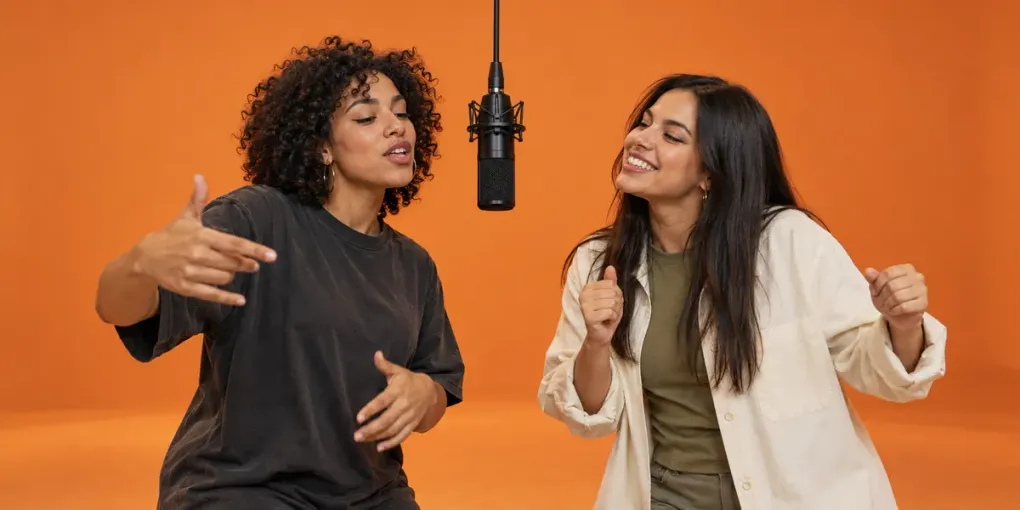
An AI rap duo video puts two people — or a person and their dog, or two grandparents — side by side in a studio booth, trading rap lines to the camera. With Rap Duo AI you only need two photos. Here’s how to get a result worth posting.
1. Pick two good photos
The model uses each photo as a reference for one rapper, so photo quality matters more than anything else.
- One subject per photo. Crop group shots so only one person or animal is in each. (Only have a photo of the two of you together? Switch to One photo of both — it works if exactly two people or pets are clearly visible, but two separate photos usually look more like you.)
- Clear face, even light. Front-facing photos without sunglasses or heavy shadows work best.
- Waist-up or full body. Close-up selfies work, but a bit of body helps the booth framing look natural.
The left photo becomes the rapper on the left, the right photo the rapper on the right. The left rapper always goes first.
Every person shown must be at least 18 and have explicitly agreed to the video. Use photos you own or have permission to use, and follow our content standards.
2. Choose a theme
There are five themes. Each sets the mood of the lyrics and the style of the beat:
- Hype — the two of you hyping each other up.
- Roast — friendly roasts, perfect for best friends.
- Love — for couples and anniversaries.
- Birthday — the right-hand rapper is the birthday star.
- Congrats — a new job, a passed test, a graduation.
Add names and they’re written straight into the lyrics. Hearing their own name in the hook is what makes people share the video.
By default you get one of the theme’s hand-written verses. For something personal, choose Write with AI and describe the two of them — for example “Mike, 32, my best friend since kindergarten, just passed his driving test”. AI writes three English versions for free; pick one and edit any line, or write your own. Lyrics are optional: leave them empty and the theme’s verse is used.
3. Generate and wait a few minutes
Press Generate video. Before you do, pick the AI model, quality (480p or 720p), length (5, 10 or 15 seconds) and shape — the exact credit cost is shown under the button (a 10-second 480p video costs 30 credits on Seedance 2.0 Mini and 100 credits on Seedance 2.5). Generation usually takes 2–4 minutes. If a video fails, the credits go back to your balance automatically.
4. Download and post
You get an MP4 in the shape you picked. Vertical 9:16 is the right format for TikTok, Instagram Reels and YouTube Shorts; wide 16:9 and square 1:1 suit YouTube, feeds and group chats. The beat, lyrics and vocals are generated for your video rather than copied from an existing song.
Disclose that the video and audio are AI-generated when sharing, and follow the destination platform’s rules. AI generation does not guarantee that an output is free of third-party rights. If you find unsafe content or an unauthorized use of someone’s likeness, use our reporting channel.
Ideas that work well
The funniest rap duos are the most mismatched: grandpa and his adult grandson, a cat and its owner, two dogs, your boss and the office plant (with permission). For 30 more pairings with the best theme for each, see our rap duo ideas. Or try the hotel lobby AI format if you want to join the trend.