Article
Higgsfield Hotel Lobby Alternative: 4 Ways to Make the Trend, Compared
Making the hotel lobby AI video with Higgsfield? Here is how it compares with CapCut templates, writing your own prompt and Rap Duo AI — cost, audio and effort.
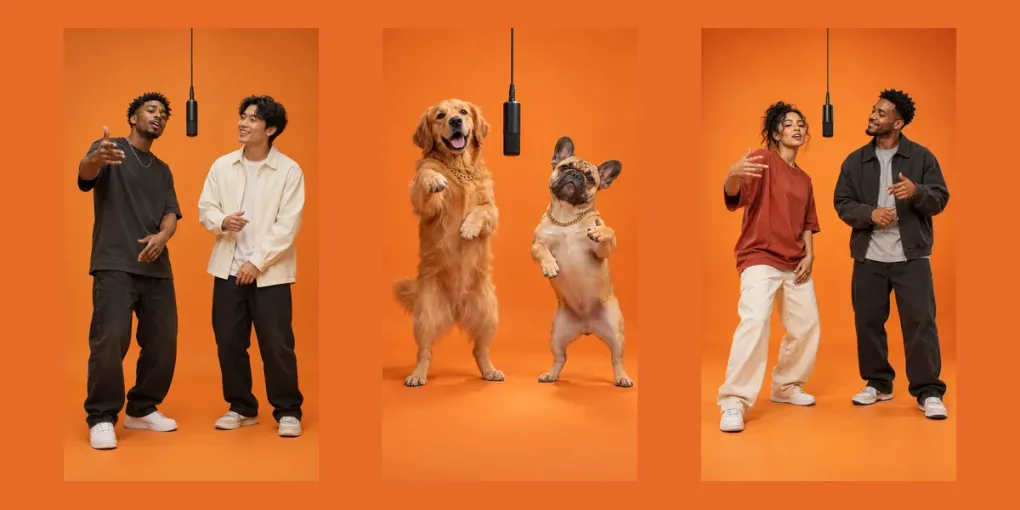
Search “hotel lobby AI” and Higgsfield comes up a lot — it’s one of the platforms creators used to make the viral orange-booth videos. But it isn’t the only way, and depending on what you want (one video for the group chat or a whole content series), it may not be the cheapest or easiest. Here’s an honest comparison of the four main ways to make a hotel lobby AI video.
Prices and features change often. Everything below is as of October 2026 — check each tool’s own pricing page before you buy.
1. Higgsfield
Higgsfield is an all-in-one AI video platform with many models and effects. Its hotel lobby workflow is generally built around recreating a reference clip: you provide photos of the people you want in it, and they’re placed into an existing performance, which keeps that clip’s movement, camera and timing.
Pros
- Very close to the original trend look, because it follows a reference performance.
- A big platform with lots of other models and effects, if you’ll use them.
Cons
- It’s a subscription: monthly plans that come with a credit allowance. Great value if you make videos every week, expensive if you want one hotel lobby clip.
- Because the motion comes from the reference, your video moves the same way as everyone else’s.
- Depending on the reference you use, the audio may be the original song, which can be muted or claimed on social platforms.
Best for: creators who already use Higgsfield for other content.
2. CapCut and other face-swap templates
Editing apps offer hotel lobby templates: pick the template, add two photos, export.
Pros: free or nearly free, and done in a minute.
Cons: it’s a face swap on a fixed clip, so the moves and usually the song belong to the template. Results look identical to everyone else’s, and face swaps of the original performers’ clip are something many fans dislike — Takeoff, one of the two original artists, passed away in 2022.
Best for: a free, throwaway joke. See our guide to the free options for the details.
3. Write your own prompt in a general video model
Use any general AI video model that accepts reference images and describe the scene yourself: orange seamless booth, one hanging microphone, locked full-body camera, left person raps first.
Pros: total control; works with whatever model you already pay for.
Cons: two consistent faces, good framing and believable rapping with vocals rarely happen on the first try, and each attempt costs credits. Expect to iterate.
Best for: people who enjoy prompt-tweaking and already have credits.
4. Rap Duo AI
Rap Duo AI does one thing: turn two photos into a short duo rap video. It doesn’t copy a reference clip — every video gets a new performance, an original beat and vocals, and lyrics with your names in them, generated with ByteDance Seedance video models.
Pros
- No subscription. One-time credit packs from $4.99; at the time of writing a 10-second 480p video on the cheapest model uses 30 of the pack’s 100 credits.
- Original music, so posting it won’t trigger a claim on the song.
- Themes (Hype, Roast, Love, Birthday, Congrats) and scenes beyond the orange booth — including Halloween and birthday sets.
- Free AI lyric writing from a short description, and automatic refunds for failed videos.
Cons
- It’s built for duo rap videos only — no other effects or formats.
- Because it doesn’t copy the original performance, the moves won’t match the original clip frame for frame.
- Lyrics are English only.
Best for: making one or a few hotel lobby–style videos of your own people, pets or family without a subscription.
Side-by-side
| Higgsfield | Face-swap template | Own prompt | Rap Duo AI | |
|---|---|---|---|---|
| Pricing | Monthly subscription | Free | Credits on your platform | One-time packs from $4.99 |
| Motion | From a reference clip | Fixed clip | Whatever you prompt | Newly generated |
| Audio | Depends on reference | Usually the original song | Depends on model | Original beat, your names |
| Effort | Medium | Very low | High | Low |
| Other uses | Many | Many templates | Anything | Duo rap videos only |
Which one should you use?
- You make AI content every week: a subscription platform like Higgsfield can make sense.
- You want it free and don’t care how it looks: use a face-swap template.
- You want one great video of your duo, with music you can post: make it with Rap Duo AI — upload two photos and it’s ready in about 2–4 minutes.
Need inspiration first? Here are 30 rap duo ideas, plus ready-made pages for a pet rap video and a couple rap video.
Rap Duo AI is not affiliated with Higgsfield, CapCut or ByteDance. All trademarks belong to their owners.